


Here’s how to change file permissions in cPanel. Operating systems are directed by file permissions on how to handle requests to access files.
Read, write and execute are the three steps of file permission. To read the file you need Read permission, to modify it you require Write permission and to execute it you need execute permission.
Individuals and other files or programs can ask for access to read, write or execute the file. These internet requests permit users to gain access to the website.
The permission to read, write and execute is given separately in three different categories to provide more control. These categories are known as World, Group, and User. The file’s owner gains control through user permission, while group permission manages what programs and files in the folder can execute. World permissions manage what everyone else can access.
In order to display your website’s pages in the user’s browser, the webserver needs to read it. Permission needs to be given for the website to work as it should.
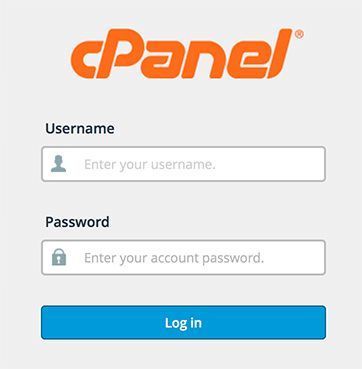
#Step 1: Sign in to cPanel
#Step 2 : Click on the Files section and Select File Manager.
#Step 3 : Find the file or folder in the File manager, whose permission needs to be altered.
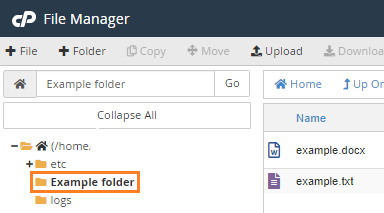
#Step 4 : Click on the name of the folder or file you wish to alter. After it turns blue, go to the top menu of File Manager and click on the Permissions button.
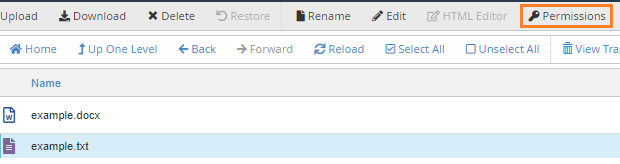
#Step 5 : The file and folder permissions existing on your screen will be replaced by a dialogue box.
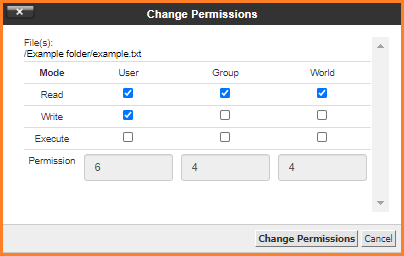
#Step 6 : The top displays categories for User, World, and group, while the bottom columns hold their Read, Execute and Write permissions. When permission is granted, it highlights the checkbox.
#Step 7 : You can check or uncheck the boxes depending on the permission you choose. Altering this will automatically change the number of permission values at the bottom.
#Step 8 : After you finish making your changes, you can save these altered permission settings by clicking on Change Permission.
#Step 9 : Ensure your permissions are accurately changed, as it has a direct effect on the way your website functions.
Read Also : How to log in and log out into Plesk

Sarang Khedkar