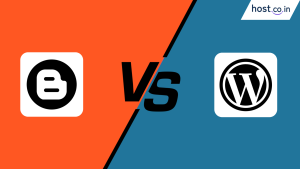
So, you’ve decided to start a blog. Fantastic! You’re about to embark on an exciting journey of sharing your ideas, stories, or expertise with the world. But right at the starting line, you’re faced with your first major hurdle: Blogger vs WordPress.
Choosing your blogging platform is like choosing your first car. Do you go for the simple, no-fuss, free-to-use option that gets you from A to B? Or do you invest in the one with a powerful engine, endless customization options, and the ability to turn it into anything you can imagine?
This decision can feel overwhelming, but don’t worry. We’re here to break it all down. In this comprehensive guide, we will dive deep into every aspect of the WordPress vs Blogger debate. Whether you’re a complete beginner who trembles at the thought of code or a seasoned pro looking to make a strategic choice, this article will give you the clarity you need.
Let’s settle the Blogger vs WordPress, which is better question once and for all, starting from scratch.
Before we pit them against each other, it’s crucial to understand what these two platforms are.
Blogger is a free blogging service owned by the tech giant, Google. It was one of the earliest blogging platforms, launched in 1999, and was acquired by Google in 2003.
Think of Blogger as renting a fully furnished apartment. It’s completely free, Google (the landlord) takes care of all the technical maintenance, security, and hosting. You can move in immediately and start decorating with the furniture provided. It’s incredibly easy to get started, but you’re limited by the landlord’s rules and the furniture they offer. Your address will also typically be something like
yourblog.blogspot.com.
This is where things can get a little confusing for beginners. There are two versions of WordPress:
Think of WordPress.org as owning your own house. You have to buy the land (WordPress hosting) and register your address (domain name), but once you do, the house is yours. You can paint it any color, build an extension, add a swimming pool, or even turn it into a storefront. You have complete freedom and ownership, but you are also responsible for the upkeep and security.
For the rest of this article, when we say “WordPress,” we will be referring to the powerful, self-hosted WordPress.org because it provides the starkest and most meaningful comparison to Blogger.
Let’s break down the comparison into nine key areas that matter most to any blogger.
For a beginner, how quickly can you get your first blog post published?
Blogger is the undisputed champion of simplicity. The setup process is ridiculously easy:
The dashboard is minimal and intuitive. There are no complex settings to configure. You can have a live blog post up in less than 10 minutes.
WordPress.org has a steeper learning curve. The process involves a few more steps:
yourblog.com).The WordPress dashboard is more feature-rich and can seem intimidating at first. You’ll need to learn about the difference between posts and pages, what plugins are, how to install themes, and navigate the various settings. While it’s not rocket science, it requires an initial investment of time to learn the ropes.
Who truly owns your content and your digital space? This is a critical factor.
You do not own your blog. Google does. Your content resides on Google’s servers. This means Google has the right to:
You are essentially a long-term tenant on Google’s property.
You have 100% ownership and control. When you use self-hosted WordPress:
You are the owner of your digital home.
How good can you make your blog look, and how much can you change its functionality?
Design options on Blogger are extremely limited. You get a handful of basic, pre-installed templates (called “Themes”). While you can change colors and some layout elements, the overall structure is quite rigid. You can technically edit the HTML/CSS, but it’s a clunky and unintuitive process for non-developers. The result often looks dated and generic.
This is where WordPress shines brightest. The customization possibilities are virtually infinite.
When asking which is best for blogging, WordPress or Blogger, if design and branding are important to you, the answer is clear.
What can your blog do besides just displaying posts?
Blogger comes with a fixed set of features. It has built-in “Gadgets” that you can add to your sidebar for things like showing popular posts, an archive list, or a search bar. However, if you want a feature that isn’t provided by Google, you’re mostly out of luck. There’s no app store or plugin ecosystem.
WordPress’s superpower is its plugin repository. Plugins are like apps for your website. They allow you to add almost any feature you can think of. There are over 60,000 free plugins available.
This ecosystem transforms WordPress from a simple blogging platform into a powerful Content Management System (CMS) that can run complex websites.
How well can you optimize your blog to rank on Google and get organic traffic? This is a crucial part of the blogger vs wordpress seo debate.
Being a Google product, you might think Blogger has an SEO advantage. It does have some basic SEO features: you can customize your post titles, permalinks (the URL of your post), and add meta descriptions. However, that’s where the control ends. You have very limited ability to implement more advanced SEO strategies like:
WordPress is widely considered the best platform for SEO, straight out of the box. Its supremacy is cemented by powerful SEO plugins like Yoast SEO or Rank Math. These plugins give you a complete SEO toolkit:
This level of granular control is essential for anyone serious about competing for top rankings in search results.
Let’s talk about the big one: blogger vs WordPress for making money. Which platform gives you a better chance to turn your passion into profit?
You can make money with Blogger, but your options are limited.
However, many premium ad networks (like Mediavine or AdThrive, which pay much more than AdSense) often do not accept sites on a blogspot.com subdomain. Furthermore, you cannot easily sell your digital products, create a membership area with paid content, or run a proper e-commerce store.
With WordPress, your monetization potential is limitless.
What is the actual financial investment required for each platform?
Blogger is 100% free. You get a free blogspot.com subdomain and free hosting for life. The only potential cost is if you decide to buy a custom domain name (e.g., www.yourawesomeblog.com), which typically costs around $10-15 per year. This is highly recommended to look more professional.
The WordPress.org software is free, but you must pay for two things:
So, your starting cost for a WordPress site is roughly $50 – $100 for the entire first year. Costs can increase if you decide to purchase premium themes or plugins, but those are entirely optional.
Who is responsible for keeping the site running smoothly and securely?
Google handles everything. You never have to worry about server maintenance, security patches, software updates, or backing up your site. It’s a completely hands-off experience, which is a significant advantage for users who are not technically inclined.
You are responsible for the maintenance. This includes:
While modern web hosts make this process much easier, it’s still an ongoing responsibility that you don’t have with Blogger.
| Feature | Blogger | WordPress.org |
|---|---|---|
| Cost | 100% Free | Requires Hosting & Domain |
| Ease of Use | Extremely Easy | Steeper Learning Curve |
| Ownership | Google Owns It | You Own It 100% |
| Customization | Very Limited | Almost Limitless |
| Monetization | Limited (Mainly AdSense) | Limitless Possibilities |
| SEO | Basic | Advanced & Powerful |
| Maintenance | Zero | Your Responsibility |
| Best For | Hobbyists, Personal Journals | Serious Bloggers, Businesses |
After this exhaustive breakdown, the answer to the Blogger vs WordPress, which is better question should be clear. It’s not about which platform is universally “best,” but which is best for your specific goals.
While Blogger is a decent starting point for a hobby, its limitations will quickly become a roadblock for anyone with ambition. The initial effort and small financial investment required for WordPress.org will pay for itself a thousand times over in terms of freedom, control, and potential.

Sarang Khedkar
Sarang is a content marketing specialist with 7+ years of experience, focused on SEO-led content strategies that drive measurable business growth.