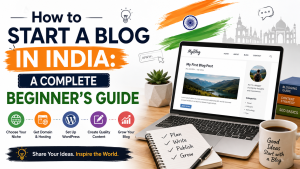
Social media, blogs, opinion sharing, and being connected digitally through platforms. People work on their passion; some work to start a business; a social writer may want to start writing to earn money; a food blogger may want to start a blog to share recipes.
The blog market has never been down but, in fact, has gained new growth in today’s era. And for beginners, blogging is no longer a technical, coding-heavy, or hectic process – it’s about making the smart decisions before you start.
In this guide, we’ll walk you through a smarter approach to how to start a blog in 2026 and grow it the right way, especially for an Indian-like market, covering domain choosing, pricing, hosting, and much more.
Now, if you decide to create a blog, identifying the niche is crucial, because quality speaks more than quantity when it comes to words. Let’s dive into how you can choose your blog niche.
Ask yourself the question: What niche should I concentrate on that can give me growth benefits and a passion to go with it?
Most people choose a bunch of ideas to work on, but the reality is a narrower focus is usually the more profitable path. When we talk about focusing on a niche, it not only means identifying a single thing or a small market; it means concentrating on what’s important.
You can discover your niche from your passion, your interest, your qualifications, etc. In 2026, niche is the most important survival and growth strategy. Generic content, generic skills, and mass-market products are fully commoditised. There are many reasons for this, including:
Today, many AI tools can instantly produce average content and code for free. This creates a gap in generic skills, so they no longer carry premium value in the job market. When we say a niche market, that’s an indication of deep, hyper-specific human expertise, which is needed to deal with complex issues, particularly in today’s world, because automated language models cannot replicate unique personal perspectives.
When you want to create a product, the very first step is to decide to make one product, not multiple at the same time, because you put your innovation and your idea into that one product. So as your business grows because of that product, it eventually becomes your USP. No business is a mass-market business on day one.
Now, if you have decided on your niche, understanding, researching, and considering all the factors, pros and cons, is crucial before beginning. Any business starts with reliable research. If you are selecting a niche in digital marketing, identifying and researching it is important: what exactly is the type of market, which type of customer you should focus on, which segment or demographics should you target, and so on.
Not only identifying your market, but the most crucial thing you need to understand is your blog structure and keywords. Identifying technical aspects like SEO keywords and where and how people can actually reach your blog is crucial. Along with keywords, it also helps to check search volume – how many people are actually searching for that topic – and competition: how many other blogs are already ranking for it, so you are not choosing a niche that looks good on paper but has no real audience searching for it or is too crowded to break into.
There are a variety of tools in the market for this, like
Each one helps you see not just which keywords people search for, but also how competitive they are and what related questions people are asking around your niche.
Personal finance: not a general how-to-save-money post but something more like personal finance for freelancers in India, about the GST tax system, how to budget on a freelance income, and filing taxes as a freelancer.
Food and recipes: not a general food blog but rather a hyper-local food blog, one devoted to local dishes in one state only, the kind of blog that a generic food blog will never have room for.
Tech reviews: instead of reviewing every gadget that launches, something like budget tech under ?20,000 for Indian students, a specific price range and audience that generic tech review blogs skip over.
Travel: instead of general travel blogging, solo travel for women on a budget, or offbeat weekend trips near Mumbai, a specific traveller type or geography rather than “places to visit” content that already exists everywhere.
Parenting: instead of generic parenting advice, parenting through Indian school board choices (CBSE vs ICSE vs state board) is a decision real parents are actively searching for, not general tips already covered everywhere.
Fitness: instead of a broad fitness blog, home workouts for people with desk jobs and no equipment – a specific constraint and audience – rather than competing with every generic fitness page online.
Once your niche is set, the next decision is where you actually build your blog, and this is where many beginners search for “how to start a blog for free“. A hobby journal or personal writing space can work perfectly well, but when your hobby journal becomes your earning instrument, move to self-hosted WordPress, which can scale and grow with you.
| Factors | Free Platforms (WordPress.com, Blogger, Medium) | Self-Hosted WordPress.org |
| Cost | Free to start | Requires hosting and a domain |
| Ownership | The platform owns your content and URL. | You own everything, fully. |
| URL | Subdomain (yourblog.blogspot.com) | Custom domain (yourblog.com) |
| Monetisation | Restricted or not allowed | Full freedom, ads, affiliates, products |
| Design and control | Limited templates and features | Complete control, any plugin or theme |
| Credibility | Looks like a hobby blog | Looks like a professional, established site |
So, if you genuinely want to know how to start a blog for free, Blogger, WordPress.com, and Medium are honest, real options, and there is nothing wrong with starting there if you are simply testing the waters or writing for yourself. The trade-off is real, though: you do not fully own your content, your URL carries someone else’s brand, and monetisation is either restricted or off the table entirely.
Usually, when people decide to start a blog, they begin with free WordPress. It is a good starting point, but it comes with a catch: your blog never quite looks like a real, established brand; it stays limited by the platform itself. Once you start growing, moving to self-hosted WordPress gives your business a much greater advantage.
If your goal is income, credibility, or long-term SEO control, self-hosted WordPress.org is the practical choice. It powers a large share of websites globally, has the biggest plugin and theme ecosystem of any platform, and gives you complete flexibility; nothing is locked behind a platform’s rules. You are not renting space on someone else’s platform; you own the site outright, and you can move it, redesign it, or monetise it however you want. The only real requirement is hosting, since self-hosted WordPress doesn’t host your site for you.
A few others exist too. Blogger is Google’s free, simple platform, decent for absolute beginners but limited in growth potential. Wix and Squarespace are drag-and-drop website builders that also support blogging; they are easy to use but less flexible for SEO-heavy content. Substack and other newsletter-first platforms work well if your content is built around a subscriber list rather than search traffic.
Your domain name is your blog’s first impression, so it is worth getting it right before you register anything. Here are some rules that really work.
If your blog is aimed specifically at an Indian audience, government schemes, regional recipes, Indian personal finance, etc., then a .in domain can work well and signals local relevance.
But if you eventually want a global audience or want your blog to be taken seriously outside India too, .com remains the safer, more universally trusted choice. When in doubt, .com is still the default most bloggers go with, since it carries no geographic assumption either way.
One more thing worth knowing early: most hosting providers let you register your domain and hosting together in one place, which is usually cheaper and far more convenient than managing them separately, something worth keeping in mind before you move to the next step.
| Factors | .com | .in |
| Best for | Global or India + international audience | India-focused blogs |
| Trust and recognition | Instantly recognised worldwide | Recognised mainly within India |
| Availability | The gold standard, so slightly more competitive to secure your ideal name | Often easier to find your first-choice name available |
| Local SEO signal | Neutral, no geographic assumption | Slight local relevance for Indian search results |
| Good fit for | Personal finance, tech, and travel blogs aiming beyond India | Government schemes, regional recipes, hyperlocal content |
| Default choice | Yes, when in doubt | Only if your audience is clearly India-only |
Once you have a name in mind, checking availability is quick:
If your domain is your blog’s address, hosting is the actual land the house sits on. Every website, blog included, needs to live on a server, a physical computer somewhere that stays switched on, stores all your files, and delivers your blog to anyone who types in your URL. Hosting is simply renting space on that server. Without it, your domain just points to nothing.
This is the part beginners tend to skip, but it genuinely decides whether your blog succeeds or struggles. Site speed is a direct Google ranking factor; a slow-loading blog gets pushed down in search results, no matter how good your content is. Google’s Core Web Vitals, which measure things like how fast your page loads and how quickly it becomes usable, are now a real part of how pages get ranked, and cheap or overcrowded hosting is usually the first reason a blog fails these checks.
Uptime matters just as much. If your hosting server goes down often, Google’s crawlers cannot reliably access your blog to index it, and if your readers hit a “site not available” error, they simply leave and rarely come back. In short, hosting is not just a backend technical decision; it directly shapes your SEO rankings, your page speed, and whether readers trust your blog enough to stay and come back.
A good beginner hosting plan should give you SSD or NVMe storage for faster load times, a free SSL certificate so your blog shows as secure, one-click WordPress installation so you are not setting things up manually, a strong uptime guarantee, and support that actually responds quickly when something breaks. For most new bloggers, shared hosting is enough to begin with; it is affordable and simple. Managed WordPress hosting becomes worth considering once your blog starts getting real traffic and you want performance, caching, and security handled for you so you can focus on writing instead of maintenance.
This is exactly where host.co.in’s hosting for bloggers fits in. Plans start at ?79/month with the WP-Swift plan, built for beginners, and include NVMe storage, unlimited email accounts, cPanel with a one-click installer, a free SSL certificate, daily backups, and 99.95% uptime. As your blog grows, WP-Blaze at ?199/month and WP-Ultra at ?319/month step up with more domains, more storage, and added WordPress performance and security tools, so you are not stuck rebuilding everything from scratch when traffic picks up.
What makes it a genuinely good fit for Indian bloggers is what sits underneath the plans. Hosting on Indian data centres means:
which directly helps your speed and SEO. So there is no dealing with currency conversion or international card charges, and support runs on Indian hours, in a time zone that actually matches yours, so you are not waiting overnight for a reply to a live-site issue. If you are searching for how to start a blog in India without overcomplicating the technical side, this is the part where a beginner-friendly, India-based host quietly makes everything after this step easier.
Once your hosting is active, actually getting WordPress live is far less technical than most beginners expect.
These few steps are essentially the entire answer to how to start a blog in WordPress: no manual downloads, no server configuration, just a few clicks.
Before you write your first post, there are a few settings that are worth getting right early, as changing some of them later can cause SEO issues.
With WordPress installed and these basics in place, this isn’t just theory anymore — you actually have a live blog, ready for the part that matters most: writing.
Once WordPress is set up, choosing a theme is next, and this is where many beginners overspend before they even need to. Free and freemium themes like Astra, GeneratePress, and similar lightweight options are genuinely enough to start; they are well-coded, fast, and give you all the essentials without costing anything.
Premium themes exist and can add extra design flexibility later, but as a beginner, there is no real need to pay for one on day one; spend your budget on hosting and tools that matter more first, and upgrade your theme later if you actually outgrow the free version.
| Consideration | Free/Freemium (Astra, GeneratePress, etc.) | Premium |
| Cost | Free to start | Paid, often ?2,000–?8,000+ |
| Good enough for | New bloggers, most niches | Advanced design needs, established blogs |
| Speed and code quality | Lightweight, well-coded | Varies, can be heavier |
| Customisation | Solid basics, some limits | More advanced feature options, deeper design flexibility |
| Best for | Beginners | Growing bloggers |
Instead of picking a theme purely because it looks nice, prioritise mobile responsiveness first. Most of your readers will land on your blog from a phone, so it needs to look and work well on a small screen, not just a desktop preview.
Next, pay attention to page speed impact: a heavy, feature-loaded theme can slow your blog down before you have even written a post, and speed, as covered earlier, directly affects both SEO and reader trust. Finally, look for customisation flexibility: a theme that lets you adjust colours, fonts, and layout without needing custom code, so your blog can evolve as your style and niche become clearer.
Most modern WordPress themes work well with the built-in Gutenberg block editor, or a page builder like Elementor if you want more visual, drag-and-drop control. Either way, the basics are simple: upload your logo, pick a colour palette that matches your niche and personality,
Choose fonts that are easy to read, and set up your homepage layout so new visitors immediately understand what your blog is about. You do not need to get this perfect on day one; a clean, simple setup is far more effective than an over-designed one that takes forever to load.
When you are going to publish your first blog, a lot of things need to be considered. When we refer to a blog, it’s not just about writing; it’s about how you write every headline. The content you use has an intent towards your user; the things you should consider are:
Your blog title is the soul of your article. If it is basic or doesn’t describe the main intent of your blog, you might fail to attract your reader. Your title should be engaging and user-centric and should grab attention; it is your title that will make your blog different from others.
The topic you are writing on has already been written about by many people, but that doesn’t mean there’s less scope for your write-up. It determines how unique you stand in comparison to your competitors, and that’s what your hook point is meant to do: grab the user’s attention. You can try adding a short analogy, a case study, or a real-life problem to do this.
Whenever you write, don’t stuff content into big paragraphs; people’s attention span is limited. Writing in short paragraphs or bullet points lets readers read without struggling through stuffy, dense wording.
Even if you write your main headline well, that flow should carry forward through your write-up. Each subheading determines your next intent for that paragraph and keeps your reader stuck to your write-up.
A very crucial part: however quality your content is, people may get bored reading without visuals. People generally fall into one of four learning types: visual, auditory, reading/writing, and kinaesthetic. Make sure your write-up includes as many of these as possible; don’t let your blog look like a boring history textbook with no visuals.
One of the most overlooked pieces of advice for how to start a blog for beginners is this: do not launch with just one post. Before you promote your blog anywhere, write five to ten pillar posts first – comprehensive, well-researched pieces that genuinely cover your niche’s core topics in depth. A pillar post is not a quick 400-word update; it is the kind of content someone could land on from a search and get a complete answer, not just a fragment of one.
The reason this matters is simple. A single thin post gives a new visitor almost no reason to explore further; there is nothing else to click into, nothing that makes your blog feel established. A handful of solid pillar posts, on the other hand, give
Google more content to index and rank, gives readers a reason to stay and browse, and gives you internal linking opportunities between posts, which helps both SEO and reader engagement. It also means that the day you do start promoting your blog, on social media, in communities, wherever your audience is, you are sending people to a blog that already looks credible, not one that looks like it started yesterday.
Before you write your next post, understanding a little keyword research goes a long way. Every keyword has search intent behind it: what the person actually wants when they type that phrase- informational, like “how to start a blog”, or transactional, like “best blog hosting India”. Matching your content to that intent matters more than just stuffing the keyword in.
You will also come across two numbers for every keyword: search volume, how many people search for it, and difficulty, how hard it is to rank for. For a brand-new blog, chasing high-volume, high-difficulty keywords is usually a losing battle; established sites already dominate those results.
Instead, target low-competition, long-tail keywords first: longer, more specific phrases like “budget tech under ?20,000 for Indian students” rather than just “tech reviews”. These have lower search volume individually, but they are far easier to rank for, and they bring in visitors who are more specifically looking for exactly what you wrote.
A few fundamentals to apply to every post you publish:
A few technical steps are worth setting up right after you publish your first few posts:
Once your pillar posts are live, resist the urge to be everywhere at once. Pick one or two platforms that actually match your niche and where your audience already spends time: Instagram or Pinterest for a food or travel blog, LinkedIn for a personal finance or career-focused blog, or Twitter/X for tech or commentary-driven content.
Spreading yourself across five platforms as a solo blogger usually means doing all of them poorly; showing up consistently on one or two places genuinely builds an audience far faster than a thin presence everywhere.
It is tempting to think an email list can wait until you have real traffic, but the opposite is true: the earlier you start, the more you have by the time it matters. Even at low traffic, every subscriber you capture is someone who chose to hear from you again.
Unlike social media, where an algorithm decides who sees your next post, your email list is entirely yours, and no platform change can take it away. A simple opt-in setup is enough to start: a newsletter signup box at the end of your posts, or a small pop-up offering something useful, is all you need in the beginning.
Beyond your own blog, showing up where your future readers already are matters early on. Relevant forums and niche-specific Reddit communities are a good place to genuinely participate, not to spam links, but to answer questions and build recognition, so when you do mention your blog, it lands naturally.
Guest posting on niche-adjacent blogs is equally valuable; it gets your writing in front of an audience that does not know you yet, earns you a backlink that helps your own SEO, and sends direct referral traffic back to your blog. Early on, this kind of community presence often does more for growth than social media alone, since it puts your writing in front of people who are already interested in exactly what you write about.
If you are searching for how to start a blog for money, it helps to know upfront that monetisation rarely happens overnight, but there are several real paths, and knowing which one fits your stage matters more than chasing all of them at once.
Google AdSense is the most common starting point; you place ads on your blog and earn based on impressions and clicks. The honest reality, though, is that display ads only become meaningful income once you have real, consistent traffic – thousands of monthly visitors, not hundreds.
At low traffic, AdSense earnings are often just a few hundred rupees a month; it is a long game, not a quick win. Alternatives like Ezoic or Mediavine exist too, but most of them also have minimum traffic thresholds before you can even apply.
Affiliate marketing means recommending products or services you genuinely use or believe in and earning a commission when someone buys through your link. This works even on a smaller blog, since it depends more on trust and relevance than raw traffic numbers; a niche blog with a small but engaged audience can often out-earn a bigger, generic one here.
One thing to get right from the start: proper disclosure. Indian and most global regulations require you to clearly disclose affiliate links to readers; this is not optional, and skipping it damages trust as much as it risks compliance issues. Keep expectations realistic too; affiliate income usually starts small and grows slowly as your content and audience mature.
Brands typically start reaching out once your blog shows real authority, usually once you have a decent, consistent traffic base and a clear, established niche; this rarely happens in the first few months.
Until then, you can reach out to relevant brands yourself once you have a handful of strong pillar posts and some traffic to show, but most sustainable sponsorship opportunities come once your blog has built enough of a track record for brands to trust it.
This is often the most realistic path for a new blog, since it does not depend on high traffic volume at all. If you have expertise in your niche, an ebook, a small course, a template, or the ability to offer a service directly, consulting, coaching, or freelance work related to your niche can generate income even with a modest but engaged audience.
In many cases, this becomes a faster and more reliable route to earning from a blog than waiting for ad or sponsorship traffic thresholds to be met, since you are selling directly to people who already trust your content.
Publishing content is only half the job; without tracking, you’re essentially writing into the dark, hoping something is working without any real way to know. This section walks through the two tools you need to actually see how your blog is performing and which numbers are worth paying attention to in the first few months.
Once your blog is live and publishing, tracking your growth matters just as much as creating content. Start with Google Analytics, create a free GA4 property from analytics.google.com, and add the tracking code to your site; most SEO plugins let you do this without touching any code directly.
Pair this with Google Search Console, verify your site through your hosting’s DNS settings or an uploaded file, and submit your sitemap so Google can track how your posts perform in search. Together, these two tools show you two different pictures: GA4 shows what happens once someone lands on your blog; Search Console shows how you are actually found in search.
In the early months, it is easy to fixate on total visitor counts, but a few other numbers tell you far more about whether your blog is actually working.
Raw visitor numbers alone can be misleading this early; a spike from one shared post looks impressive but says little about sustainable growth. Watching engagement time and top pages together gives a far more honest read on whether your content is actually working, not just being seen.
How to start a blog for free?
You can; platforms like WordPress.com, Blogger, or Medium let you start writing without spending anything. It’s a fine starting point if you just want to test the waters, but you won’t own your content fully, your URL will carry the platform’s branding, and monetisation is usually limited or blocked altogether.
How much does it cost to start a blog in India?
If you go the self-hosted route, which is what we’d recommend for anyone serious about it, you’re looking at roughly ?79 to ?300 a month for beginner hosting, plus a domain, which usually costs somewhere between ?400 and ?1,200 for the first year. All in, most beginners can get a proper blog live for well under ?1,000 a month.
How to start a blog in WordPress specifically?
Once you have hosting, most hosting panels let you install WordPress in one click through Softaculous or a similar installer. Pick your domain, set your admin details, and within a few minutes, WordPress is live and ready for you to log in and start setting things up.
Is blogging still worth it in 2026?
Yes, but the game has changed. Generic content doesn’t work anymore; there’s too much of it, and a lot of it is AI-generated. What still works, and works well, is a clear niche, real expertise, and a genuine human voice, exactly the things AI struggles to replicate. Blogging isn’t dead; generic blogging is.
How long does it take to make money from a blog?
Honestly, most bloggers don’t see meaningful income in the first few months. Affiliate income and digital products can start earlier if you have a specific, engaged audience, but ad revenue especially needs real traffic first, which usually takes six months to a year of consistent, focused work to build.
Can I start a blog on my phone?
You can write and even publish posts from your phone; most hosting panels and the WordPress app work fine on mobile. But setting things up initially – hosting, domain, theme, and plugin configuration – is genuinely easier on a laptop or desktop, so we’d recommend doing the initial setup there if you can.
Do I need coding skills to start a blog?
If you are still looking for how to start a blog for beginners and don’t want technical headaches, the answer is no. None of the setup involves touching a single line of code thanks to one-click WordPress installs, drag-and-drop page builders, and plugins that handle SEO, security, and caching for you.
What’s the difference between a blog and a website?
A website is the broader category; it could be a portfolio, a business page, a store, anything. A blog is a specific type of website built around regularly published, chronological content, usually articles or posts. In practice, a lot of blogs today are part of a bigger website, but the blog itself is the content engine that keeps people coming back.
If you’ve made it this far, you now have the entire path laid out in front of you: pick a niche worth writing about, choose the right platform, get a domain that fits, set up reliable hosting, install WordPress, write your first pillar posts, get the basics of SEO right, promote where your audience already is, and slowly build towards monetisation. None of it needs to happen perfectly or all at once.
Going back to where we started, in 2026, the blogs that actually grow aren’t the ones with the perfect plan or the fanciest setup; they’re the ones that simply started, stayed consistent, and kept showing up in their niche while everyone else was still waiting for the “right time”. There isn’t going to be a more perfect moment than now; the only real difference between someone who has a blog in six months and someone who doesn’t is that one of them started today.
Ready to start? Get a hosting plan built for bloggers ? https://www.host.co.in/hosting/hosting-for-bloggers

Prathamesh Suryawanshi