Picture a business based in Maharashtra that wants its website in Marathi, Hindi, and English, since its customers genuinely use all three depending on where they are and how they prefer to browse. The team picks a CMS the way most people do, whichever one a developer friend recommended, builds the English site first, and only later tries to add Marathi and Hindi on top of it.
That is when the trouble starts. The CMS was never actually built with Indian scripts in mind. Devanagari text renders awkwardly in the theme. There is no clean way to let a visitor switch languages without the whole page reloading badly. Content typed in Marathi shows up broken in certain plugins. None of this is a translation problem; it is a CMS problem, and it should have been solved before a single page was built, not after.
This is the decision most guides skip entirely: which CMS to choose changes everything downstream, and for a multi-language Indian website specifically, some choices make the entire project far harder than it needs to be.
A CMS built primarily for English-language, Latin-script websites can still technically support other languages, but “technically supports” and “genuinely built for” are not the same thing. India adds a few specific demands that a generic multilingual CMS guide does not always cover:
Hindi, Marathi, and Sanskrit use Devanagari. Tamil, Telugu, Kannada, and Malayalam each use their own distinct script, with their own letterforms, spacing rules, and rendering quirks that have nothing to do with each other.
A CMS that claims multilingual support often means it can swap out strings of text; it does not automatically mean every one of those scripts will render cleanly in your chosen theme.
A font that displays English beautifully can turn Tamil text into oddly spaced, hard-to-read characters if it was never actually tested against that script. This needs checking before launch, not discovered after a Tamil-speaking visitor lands on a broken-looking page.
Most CMS multilingual features were designed with two or three languages in mind, an English site adding French and German, for instance. India has more official languages than that baseline assumption was ever built around, and a business here may realistically want to support five, eight, or more over time as it grows.
A CMS that handles three languages smoothly can start to struggle, in either performance or manageability, well before it reaches Indian-scale language coverage.
This is worth checking for even if you are only launching with two languages today, since migrating to a more scalable CMS later, after content already exists in multiple languages, is a far bigger job than choosing the first time correctly.
A visitor searching in Tamil in Chennai is often looking for something genuinely different than the same search in English from Mumbai: different intent, different local context, and sometimes an entirely different product or service being asked about.
Treating this as a pure translation problem misses the point. A CMS needs to support content and keyword structuring that reflects real regional differences, not just the same English content rewritten in another script.
While most major Indian languages read left to right, businesses working with Urdu or serving Urdu-speaking audiences need a CMS that handles right-to-left text properly alongside left-to-right scripts on the same site.
This is a layout and rendering challenge most generic multilingual CMS guides do not think to mention, since it barely comes up outside a handful of language combinations — but for the businesses that need it, getting it wrong breaks the page entirely rather than just looking slightly off.
An Indian visitor browsing in their regional language often expects the entire experience – pricing, checkout, contact details, trust indicators – to feel locally relevant, not just linguistically translated.
A CMS that only handles text translation, without giving control over region-specific content blocks (local contact numbers, regional offers, locally relevant payment options), leaves half the localisation job undone even after the language switching itself works perfectly.
A CMS, or content management system, is the software that lets you create, edit, and publish content on a website without needing to write code for every single page. Instead of building each page by hand, you work inside a dashboard, writing a post, uploading an image, updating a price, and the CMS handles turning that into an actual working webpage behind the scenes.
This is how it manages content in practice: the CMS stores your content (text, images, structure) separately from how the site looks and pulls the two together whenever a visitor loads a page. That separation is exactly why the same CMS can run one language or ten; the content and the design are not locked together, so adding a new language means adding new content, not rebuilding the site from scratch.
This is also exactly why the CMS choice matters more once multiple languages enter the picture. A CMS built for a single language can get away with content and structure being loosely tied together, since there is only ever one version to manage. The moment a second, third, or fourth language joins, especially in a script as different from English as Devanagari or Tamil, that separation between content and structure needs to be genuinely solid, or every new language starts causing problems the CMS was never designed to handle cleanly.
This means the CMS was built with multiple languages in mind from the start, rather than having language support bolted on through a third-party plugin as an afterthought. Native support tends to handle edge cases, script rendering, right-to-left text, and per-language settings more reliably than a plugin trying to retrofit the same functionality onto a CMS that was never designed for it.
A good multilingual CMS lets you see and manage every language version of a page from one place, rather than treating each language as an entirely separate, disconnected site. This matters practically: when a price or a policy changes, you want to update it once and have a clear view of which language versions still need the same update, not discover weeks later that the Tamil version was never touched.
Each language needs its own clean, dedicated URL, structured consistently across the whole site. A subdirectory structure is the most common and simplest approach for a multi-language Indian site:
This keeps every language under one domain, makes it obvious to both visitors and search engines which URL belongs to which language, and sets up hreflang tagging cleanly, since the pattern is consistent and predictable across every language added later.
A visible, working way for a visitor to switch between languages, without losing their place on the site or getting dropped back to the homepage. This sounds like a small detail, but a broken or confusing language switcher is one of the fastest ways to lose a visitor who would otherwise have stayed on the site in their preferred language.
Images, banners, and other media sometimes need to differ by language — a promotional banner in Hindi is not just the same banner with different text, it may need entirely different imagery or layout. A CMS that only lets you attach one set of media across every language version forces awkward compromises; proper multilingual media management lets each language version use what actually fits it.
For any team managing more than one language, being able to assign specific people to specific languages matters. A Tamil content editor should be able to work on the Tamil version without needing (or being given) access to edit the Hindi or English versions, and a CMS with proper role management makes this possible without extra workarounds.
Not every plugin or theme that claims multilingual support actually renders every Indian script cleanly or works well with your chosen translation tool. This is worth testing directly with real content in the actual languages you need, rather than trusting a “multilingual ready” label at face value.
The same point raised earlier in this piece: a CMS that manages two languages comfortably today should also be able to handle five or eight later without a painful rebuild, since expanding language coverage is a common trajectory for a growing Indian business, not an unlikely edge case.
| Type | Examples | Best For | Trade-off |
| Traditional CMS | WordPress, Drupal, Joomla | Most Indian businesses, the biggest ecosystem, the strongest documentation | Needs a multilingual plugin (WPML, Polylang) added on top |
| Website builders | Wix, Squarespace, Webflow | Small sites with 2–3 languages | Limited scalability and regional SEO control |
| Headless CMS | Contentful and similar | Large, complex projects needing full display control | More development work upfront |
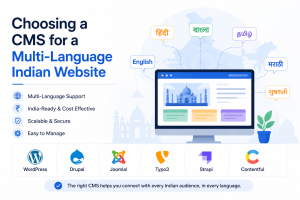
CMS options for a multi-language Indian website generally fall into three categories.
These are full content management systems with multilingual support added through plugins or built-in features. WordPress, paired with a plugin like WPML, Polylang, or TranslatePress, is by far the most common choice, since its plugin ecosystem covers Indian language support reasonably well, and its overall market share means more documentation, more developers familiar with it, and more available support when something goes wrong.
These favour ease of use over flexibility. Multilingual support exists but is usually more limited in how many languages it handles well and how much control you have over regional SEO structure; it is a reasonable choice for a small site with only two or three languages, but less so for a business planning to scale across many.
These separate content management from the actual website design entirely, which gives more control over exactly how each language and script gets displayed, at the cost of needing more development work upfront. This tends to suit larger, more complex projects rather than a straightforward business website.
Beyond the general category, a few specific features decide whether a CMS is genuinely ready for a multi-language Indian website or only technically capable of it.
Before anything else, check that the CMS and your chosen theme render Devanagari, Tamil, Telugu, or whichever scripts you need cleanly, not just as a font substitution that looks slightly wrong.
This is the single most visible thing a visitor notices, and it is also the easiest thing to overlook during setup, since a theme can look perfectly fine in English and still render another script poorly. Test this with real content, not placeholder text, before committing to a theme.
Look for side-by-side translation editing, the ability to manage each language’s content independently, and support for professional translation file formats if you plan to work with human translators rather than relying purely on automated translation.
A workflow that only supports one translator working on one language at a time becomes a genuine bottleneck once you are managing content across four or five Indian languages simultaneously; the CMS should let multiple people work on different languages without stepping on each other’s content.
Each language needs its own dedicated URL; a subdirectory is usually the simplest structure for a multi-language Indian site, with hreflang tags correctly linking each version, the same principle covered in multilingual SEO more broadly.
A CMS that handles this automatically, generating and maintaining hreflang tags as new language pages get added, saves a genuinely painful amount of manual upkeep compared to one that leaves this entirely to you.
Keyword research, meta descriptions, and even sitemaps need to be managed per language, not generated once in English and machine-translated afterward. This matters more in the Indian context specifically, since search behaviour in Tamil or Marathi often does not map cleanly onto a direct translation of English keywords.
People search differently depending on the language and region, and a CMS that supports per-language SEO fields properly makes it possible to actually act on that rather than defaulting to translated English keywords everywhere.
Even if you are launching with two languages, a CMS that handles ten cleanly costs you nothing extra now and saves a painful migration later if the business expands its language coverage.
Given how many languages are realistically in play in the Indian market, this is worth weighing seriously even for a business that currently has no concrete plan beyond its first two languages; growth into a third, fourth, or fifth regional language is a genuinely common trajectory, not an edge case.
Once the CMS and structure are sorted, the hosting underneath it needs to actually support the load a multi-language site puts on it. This is not a generic hosting checklist — each of these matters specifically because of what running several language versions of a site actually demands.
Every language version of every page draws from the same server resources. A single-language site rarely stresses a server the way a site running English, Hindi, and Tamil versions of every page does, since visitors across all three languages are hitting the same backend at once. Server performance that felt comfortable for one language can become a real bottleneck once multiple language versions are live and being visited simultaneously.
More languages generally means more content, more media, and more database entries, all stored on the same infrastructure. Fast, reliable storage — NVMe SSD in particular — keeps every language version loading quickly, rather than favouring whichever version happens to load first.
A multilingual site losing data is not a single-language problem anymore; it is a multi-language recovery job. Automatic, regular backups matter more here, since restoring a site with several language versions manually, without a proper backup, is a genuinely painful process compared to restoring a single-language site.
Every language version of the site needs to be served securely, and this matters even more for trust; a visitor browsing in their regional language is often less forgiving of a site that looks insecure or unprofessional, since it undercuts exactly the local trust a multilingual site is trying to build in the first place.
Downtime takes every language version of the site offline simultaneously, not just one. For a business serving visitors across different Indian regions and time zones, there is rarely a genuinely quiet period where downtime costs less; someone, somewhere, is actively trying to reach the site in their language at any given time.
A multilingual site often has a larger footprint than a single-language one, more plugins (translation tools, language switchers), more content, and more potential entry points. Hosting that keeps the underlying server environment updated and secure reduces the risk that a weak point anywhere in that larger footprint gets exploited.
A multilingual CMS is often just the starting point of a growing language footprint, as covered earlier in this piece. Hosting needs to be able to grow alongside that: more languages, more content, and more traffic, without forcing a full migration every time the business adds another regional language to the site.
Host.co.in’s WordPress cloud hosting plans are built with exactly this kind of combined load in mind, so the hosting keeps pace as a multilingual site grows, rather than becoming the constraint that slows it down.
| If You Need… | Recommended CMS |
| Beginner-friendly | WordPress |
| Enterprise security | Drupal |
| Moderate complexity | Joomla |
| Large enterprise projects | TYPO3 |
Which CMS is best for a multilingual Indian website?
WordPress paired with a plugin like WPML, Polylang, or TranslatePress is the most common and practical choice for most Indian businesses, thanks to its Indian language support, large developer community, and correct handling of multilingual SEO structure.
Do I have to use different CMSs for every Indian language?
No. If you use a correct multilingual CMS setup, it will be responsible for every language out of the same installation, with every language being its version of the website and not requiring separate platforms for each language.
Can WordPress work properly with Devanagari and other Indian scripts?
Yes, but only if the right combination of theme and plugins is selected, because not all themes can work well with Indian scripts out of the box.
Is a headless CMS better for multilingual Indian websites?
Only for the large and complicated projects which need precise management of content. Most companies will do just fine with a regular CMS such as WordPress combined with a proper multilingual plugin.
Does hosting affect how well a multilingual CMS performs?
Yes. A multilingual site puts more load on a server than a single-language one, since every language version draws from the same resources. Fast storage, reliable uptime, and scalable hosting all directly affect how well a multilingual CMS actually performs once it is live.
Choosing a CMS for a multi-language Indian website is not just a technical detail to sort out later; it decides how much friction the entire project has from the very first page onwards. A CMS with genuine script support, a real translation workflow, and correct multilingual SEO structure turns adding new languages into a smooth, ongoing process. The wrong choice turns every new language into a workaround.
Whichever CMS and languages your project needs, Host.co.in’s WordPress and cloud hosting plans are built to support the load a growing multi-language site puts on its infrastructure, so the hosting is never the thing holding the project back.

Prathamesh Suryawanshi