

This article, explains how to create Reseller Accounts in WHM.
Let s follow some steps:
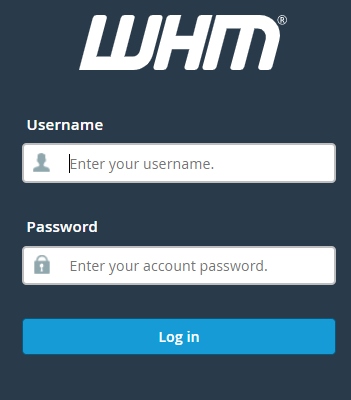
1. With your root account, log in to the WHM panel.
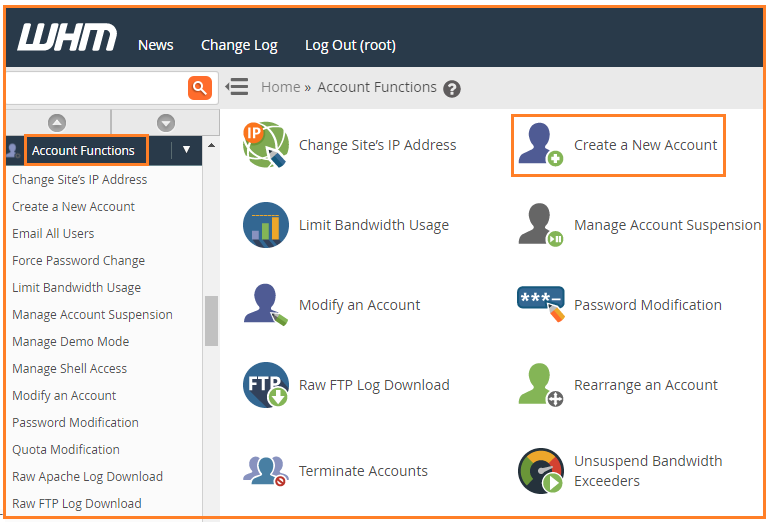
2. The “Account Functions” feature is further found in the dropdown menu. Select it.
3. Select “Create a New Account” from the drop-down menu.
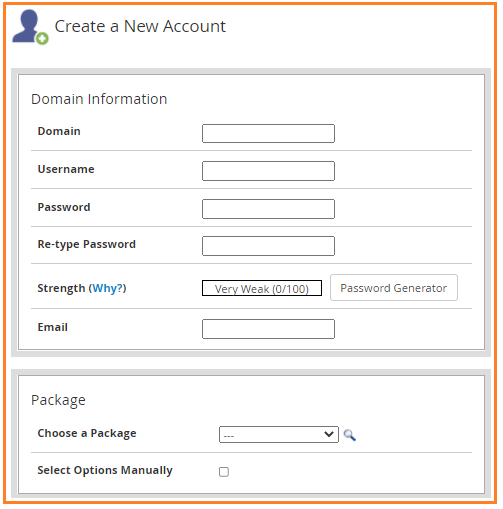
4. A form will emerge, asking you to fill in the account’s information.
5. The next step, however, is important.
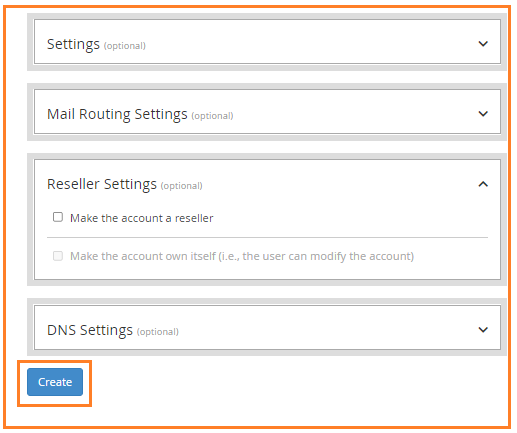
6. Scroll to the “Reseller Settings” section at the bottom of the page. Tick on the first option that is “Make the account a reseller”.
5. After you’ve entered all of the fields press the “Create” button.
You’ll have a brand new reseller account at your hands as an outcome of this. If you have any concerns, simply contact our Host.co.in support team at any time.

Seema Shaikh