

Proxmox VE is a powerful open-source virtualisation platform used for managing virtual machines and containers. To ensure business continuity, it’s essential to back up Proxmox workloads with a reliable and secure solution. Acronis Backup Solution provides enterprise-grade protection with cloud and local storage options, making it an excellent choice for Proxmox environments.
In this article, we’ll walk you through the step-by-step process of configuring Proxmox backup on Acronis Backup Solution.
Step 1: Install Acronis Backup Agent on Proxmox Host.
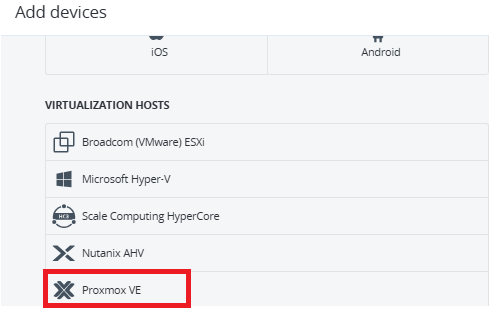
#chmod +x CyberProtect_AgentForLinux_x86_64.bin
#./CyberProtect_AgentForLinux_x86_64.bin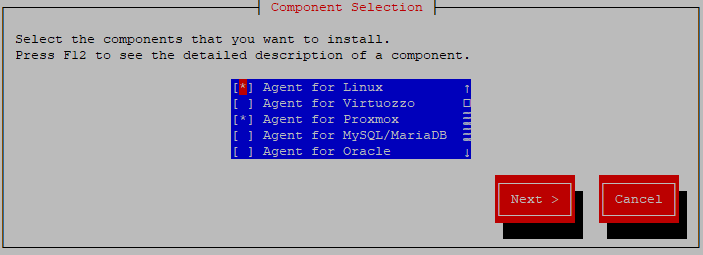

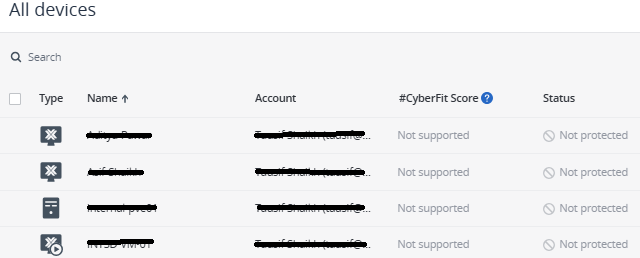
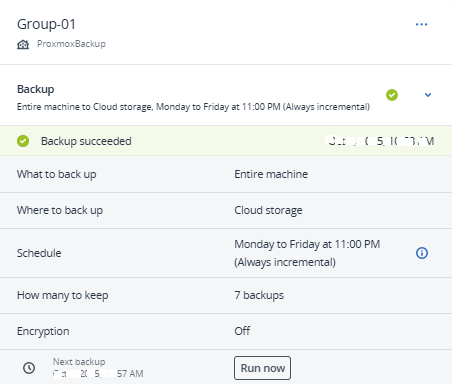
Step 2: Connect Proxmox Host to Acronis Backup Console.
Q1: Does Acronis support Proxmox cluster backup?
Yes, you can install Acronis Agent on each node in a Proxmox cluster and manage backups centrally.
Q2: Can I restore a VM to a new Proxmox server?
Yes, you can restore the VM as a new machine on the same or another Proxmox host.
Q3: Which backup method is better – host-based or agent-based?
Q4: My Proxmox host is on a private network. Can I back up to Acronis?
Yes. Your host needs a way to connect to the internet, either through a VPN, secure tunnel, or a proxy server. Use incremental backups to save bandwidth, schedule them during off-peak hours, and make sure firewall rules allow the connection.
Configuring Proxmox Node and Cluster Backup using Acronis Backup Solution ensures that your virtual infrastructure is safe, reliable, and ready for disaster recovery. With centralised management, flexible storage options, and automated scheduling, Acronis makes Proxmox backup simple and efficient.
For support with Acronis Backup or any related queries, please get in touch with us at +91 960 700 1170.

Tausif Shaikh



