Run demanding real-time simulations and complex 3D rendering workloads with the NVIDIA RTX A5000. Built for reliable, high-performance computing across professional workloads.



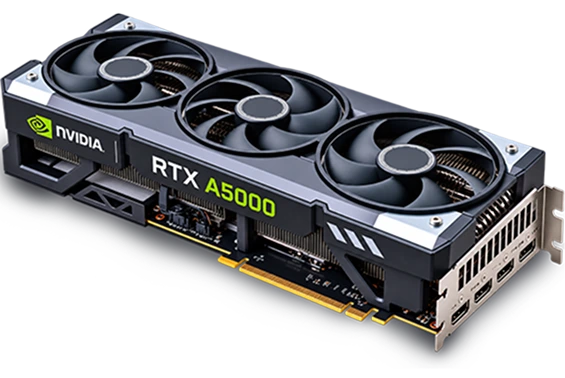
host.co.in keeps the RTX A5000 price fairly affordable, and the resources are actually shaped around your project.
The support is available 24/7, so your setup stays reliable when it matters.
Buy And Renew At Same Cost
Buy And Renew At Same Cost


Securing your enterprise data starts at the hardware level. We've built security into your RTX A5000 server to prevent unauthorized access from reaching your RTX A5000 GPU server.


We believe you should only pay for the exact compute power your workload utilizes, which is why we eliminate hidden procurement fees and unexpected billing surprises by offering complete financial clarity from the start.
Your data processing pipelines require constant computational availability to hit the deadlines of production. Our infrastructure promises to offer a 99.95% service uptime to ensure your RTX A5000 setup remains accessible around the clock.
Take complete control over your computational environment. You can easily allocate the massive VRAM capacity for the RTX A5000 dynamically. This absolute software freedom ensures you can fine-tune every layer of the GPU architecture.

With 24 GB of GDDR6 memory, host.co.in's NVIDIA RTX A5000 can give the demanding workloads enough capacity for complex models, large datasets, graphics-intensive applications, and simulations.

Our RTX A5000 infrastructure comes with 256 Tensor Cores to speed up machine learning tasks and accelerate the process of AI model development with the help of faster data processing.

The advanced architecture of the NVIDIA RTX A5000 features 24 GB of GDDR6 memory equipped with Error-Correcting Code to prevent unexpected data corruption during long rendering cycles.

Equipped with a massive 768 GB/s memory speed, the enterprise-grade Nvidia RTX A5000 accelerates data transfer rates across massive architectural pipelines and complex deep learning datasets.

The advanced engineering behind the NVIDIA RTX A5000 delivers powerful performance by consuming just 230 watts of energy. This reduced thermal output and power consumption, increasing operational efficiency during long, continuous rendering tasks.

Professionals can use the RTX A5000 for architectural visualisation, simulation workloads, and 4K video editing. Using its advanced GPU capabilities, these demanding workloads can be handled efficiently.
The NVIDIA RTX A5000 server hardware layout provides fast response times by processing massive datasets and high-resolution textures instantly. It does it by using its advanced computing cores.
Our NVIDIA RTX A5000 hosting infrastructure deployment provides expert support to monitor your hardware environment and ensure your NVIDIA RTX A5000 runs at peak efficiency. This dedicated round-the-clock support means you receive immediate troubleshooting assistance whenever required.
Our NVIDIA RTX A5000 GPU server uses 8,192 CUDA cores to execute complex mathematical tasks, massive training models, and simulations concurrently without system delay. It instantly speeds up compute-heavy workloads.

This flexible, pre-configured infrastructure allows for seamless scaling of vCPU and storage while providing enterprise-grade isolation and high-speed networking. Thus, it handles changing project needs without interrupting your work.
Starting @ ₹32,899/mo
Our GPU VPS provides dedicated GPU resources in flexible configurations for scientists and developers working with demanding workloads, simulations, and compute-heavy applications without compromising processing capacity.
Starting @ ₹32,899/mo
Our dedicated GPU servers give you the computing capacity to handle AI training, complex rendering, scientific workloads, and data-intensive analysis from a dedicated environment.
Starting @ ₹48,899/mo






Not sure which RTX A5000 configuration fits your workload? Get answers about available resources, pricing, and server setup.
It comes down to memory type, stability, and how the drivers are built. Gaming cards are tuned to push high frame rates, nothing more. The RTX A5000 carries 24 GB of ECC memory instead, which actively catches and corrects data errors so a long render doesn't crash halfway through. On top of that, its drivers are certified specifically for professional software, engineering tools, 3D animation suites, and data science applications included.
You can, yes. This card supports multi-GPU scaling through an NVLink bridge, and pairing two of them combines their memory into a single 48 GB pool. That matters more than it might sound. Teams training large deep learning models, or rendering architectural scenes too big for one card's memory, run into that ceiling constantly, and this is how you get past it.
Less than you'd probably guess. It maxes out around 230 watts even under full load, thanks to a fairly efficient architecture. That means no exotic power setup, and noticeably less heat coming off your desktop compared to flagship consumer cards. For a single-card workstation, a solid 750 or 800 watt power supply covers you comfortably.
It mainly depends on how much rendering speed actually affects your income. The upfront cost is real, no getting around that, but if crashes and stutters during heavy texture work are costing you time and clients, the return adds up fast. If the price tag doesn't fit your budget right now, though, GPU cloud hosting gets you the same processing power on a monthly or hourly basis instead, without the big purchase.
Anything built around heavy parallel processing, basically. In 3D production, that means faster viewport performance and shorter export times. Data science teams get similar mileage out of it too, running machine learning workloads, finite element analysis, and CAD simulations at resolutions that would otherwise slow things to a crawl.
The NVIDIA RTX A5000 supports workloads that need GPU processing:
1. Video rendering
2. Data processing
3. AI model training
4. Simulations
5. AI and ML model development



